Skip to content
Out now on Android · iOS in a few weeks

Track your moods,
finally know why.

Log a mood in five seconds. Add what you did. Nuva quietly notices the connections — between running and your Mondays, late nights and Tuesdays — and shows you the patterns in honest, simple charts.

Get it on Google Play
COMING TO
App Store
Soon
🔒 Data stays on your device💸 Free, no account needed
3:27
Analytics
Mood by weekday
Best mood boosters
65
sport
8 above average
63
reading
6 above average
Worst mood boosters
55
work
2 below average
3:27
Good afternoon!
Log activity
Log mood
Timers
Running00:06:34
Home
📋
Logs
📊
Insights
Settings

Key stats

5 sec
Average time to log a mood entry
0
Mood data points sent to a server
Live
Insights update with every entry
Custom activities, moods, and colors
How it works

Three taps a day.
A whole month of insight.

STEP 01

Log your mood

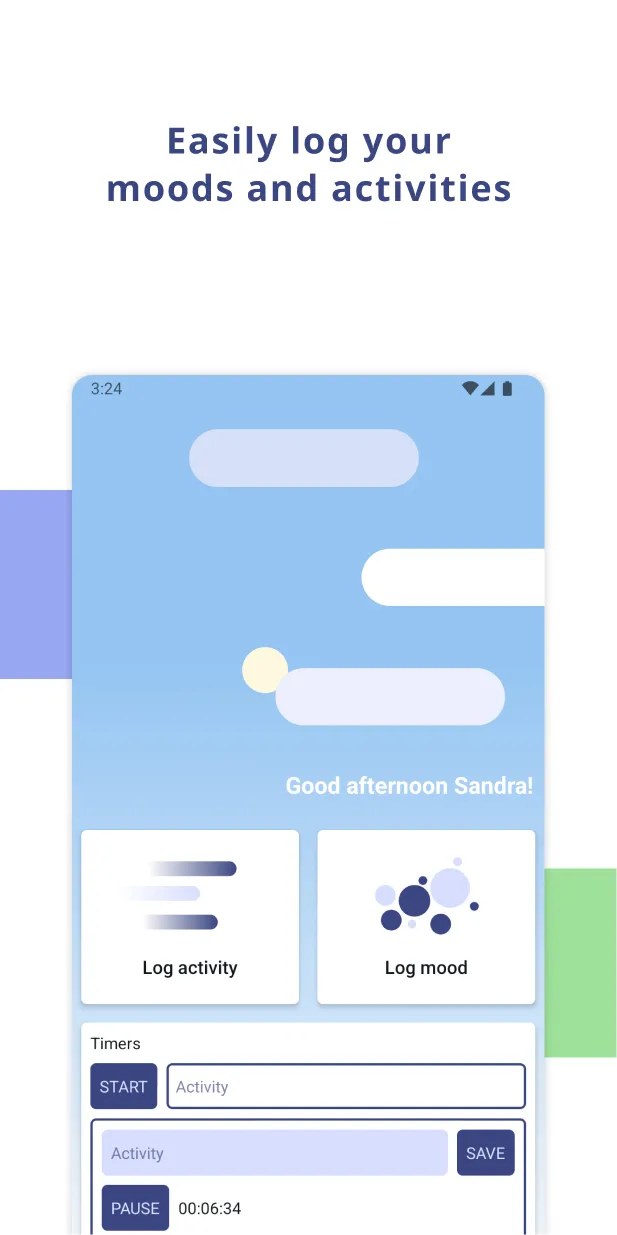
Tap one of five colors. Add activities you actually did. The whole thing takes under five seconds.

STEP 02

Add what you did

Sleep, work, the long walk. Use the built-in timer or pick from your custom activities — yours, with your own names and colors.

STEP 03

See the patterns

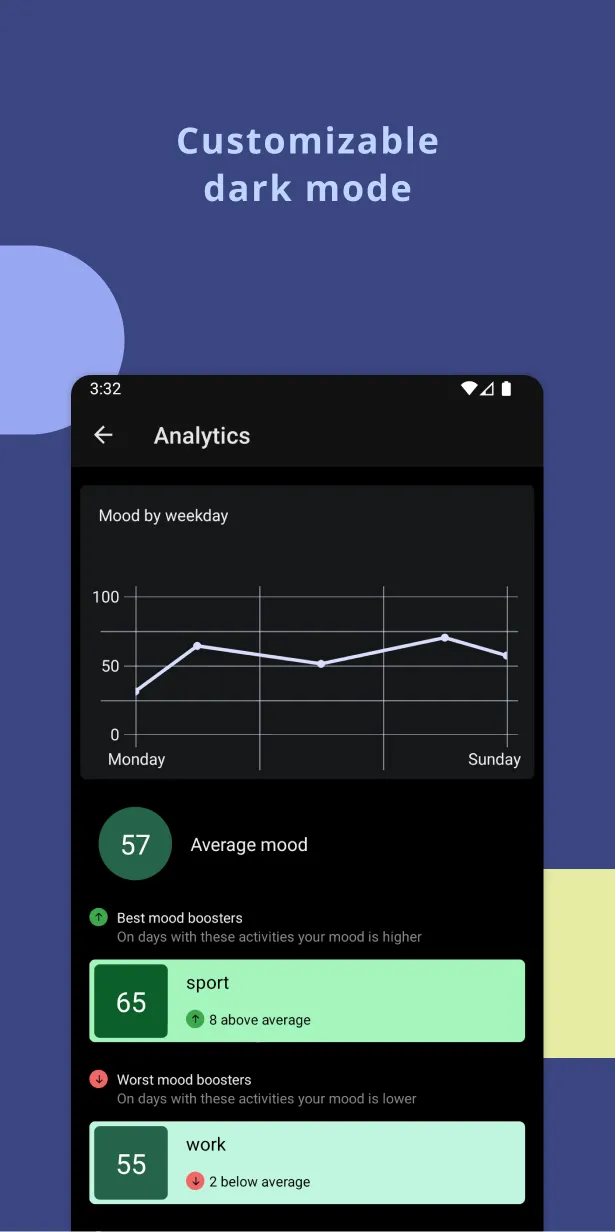
Insights update with every entry — best and worst mood boosters, mood by weekday, hourly distribution. The more you log, the sharper the picture.

Fast logging

Five seconds.
No interrogation.

Most journals ask you twelve questions. Nuva asks one: how are you, right now? Then offers two big buttons — Log mood, Log activity — and a built-in timer for tracking what you're doing right now.

  • Tap Log mood, choose a color, done
  • Custom activities with your own names and colors
  • Built-in timer that auto-saves duration when you stop
  • Quick-log widget on your Android home screen
3:27
Good afternoon!
Log activity
Log mood
Timers
Running00:06:34
Home
📋
Logs
📊
Insights
Settings
Insights, weekly

Charts that
say something.

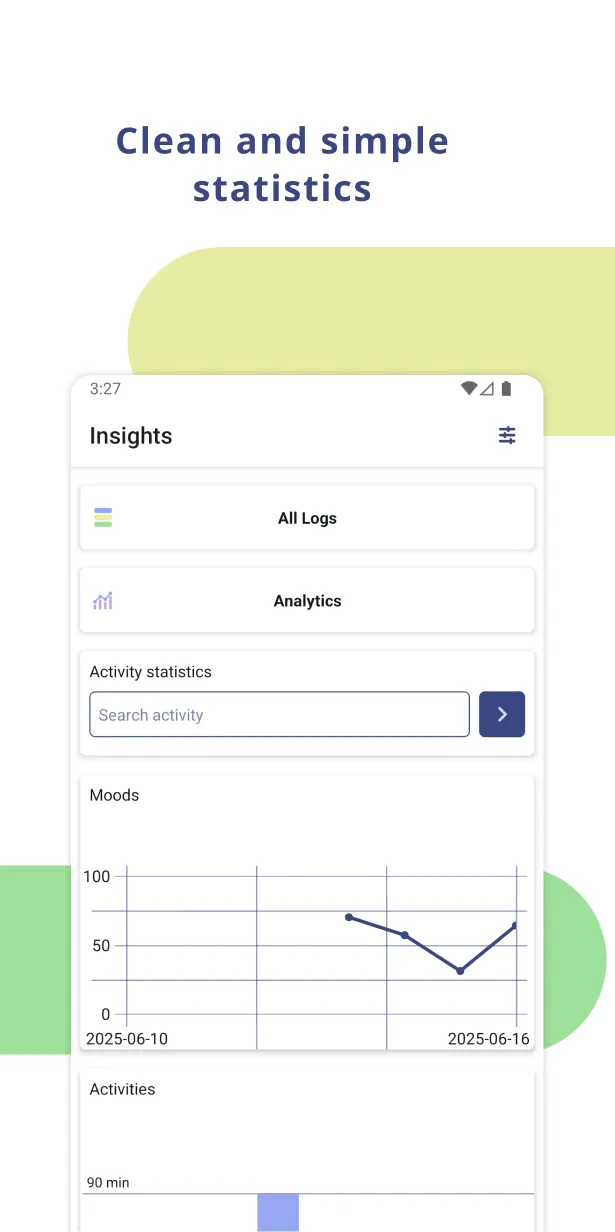
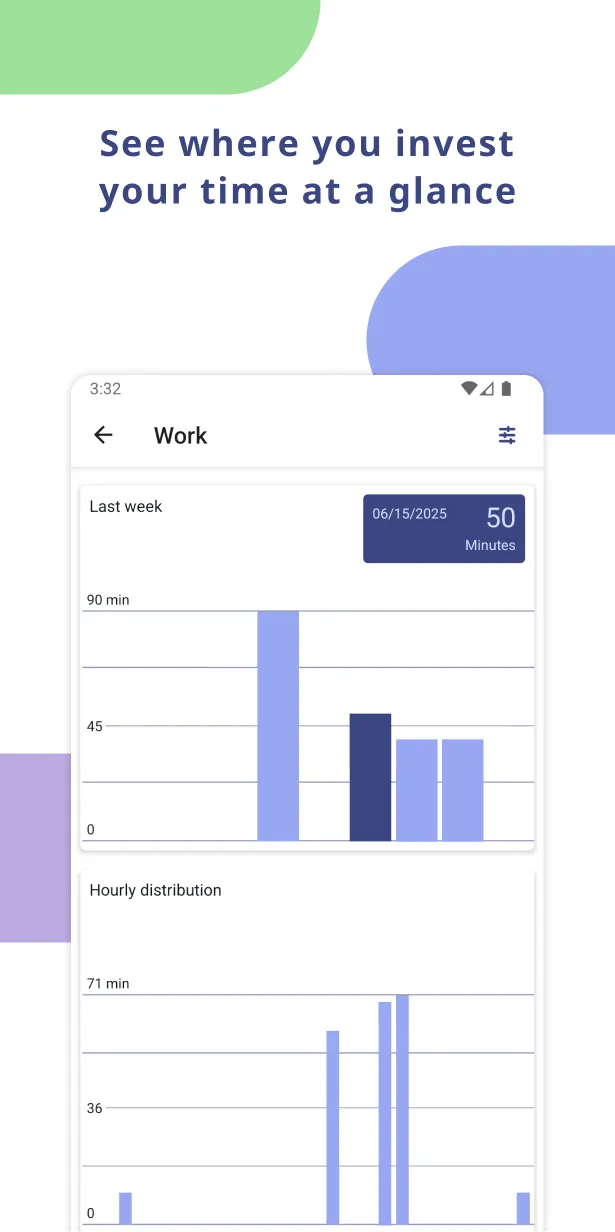
Open Insights and you see the question Nuva is built around: which parts of your routine quietly lift you, and which drag you down? Mood by weekday, best and worst boosters, time spent — all updated every entry.

  • Mood line chart over time (0–100, week or all logs)
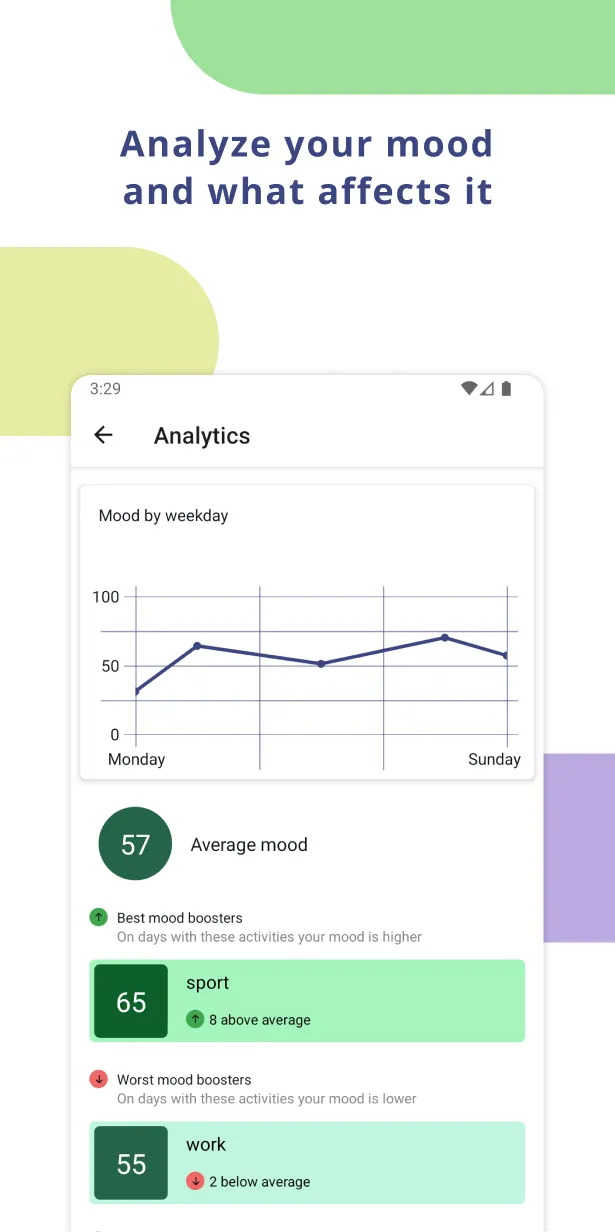
  • Mood by weekday — find your hardest day
  • Best and worst mood boosters, ranked
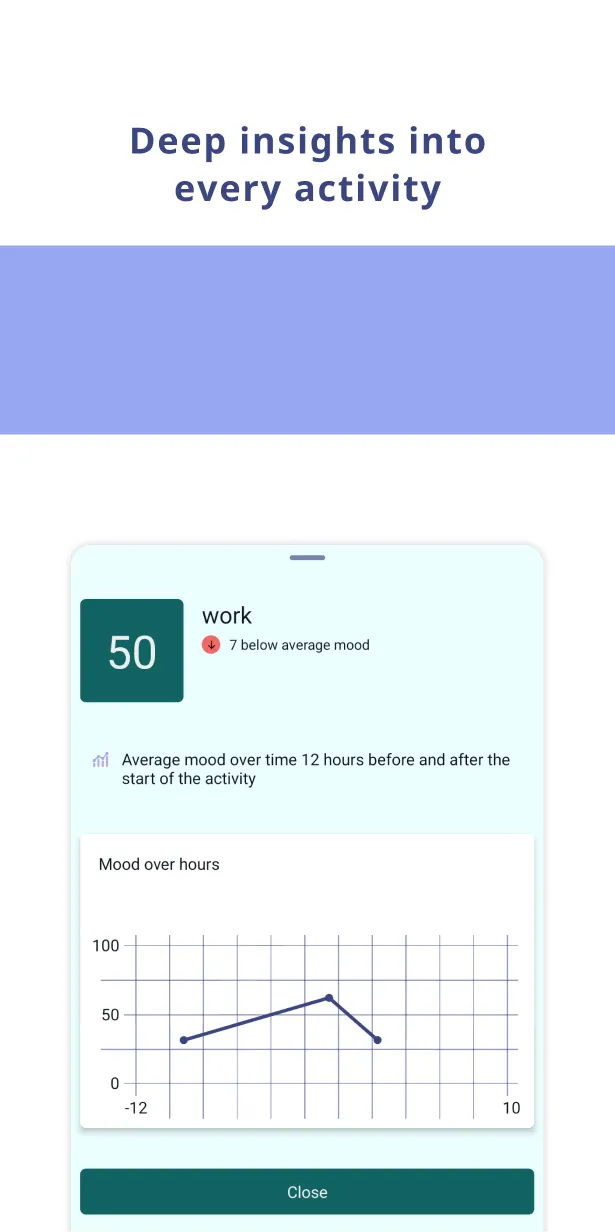
  • Tap any activity for hourly distribution and mood-over-hours
3:27
Analytics
Mood by weekday
Best mood boosters
65
sport
8 above average
63
reading
6 above average
Worst mood boosters
55
work
2 below average
Sample findings

The kind of things
you wouldn't have noticed.

Real cards from Nuva — names changed. Yours show up as soon as you have entries to compare.

Finding №01
+8

Sport days run hot.

On days when you log sport, your mood averages 65 — eight points above your baseline of 57. Your strongest single positive correlation.

Finding №02
−2

Work weighs on you.

Days with logged work hours come in two points below average. The effect compounds when work runs past 9pm — closer to four.

Finding №03
Sun

Sundays are quietly heavy.

Your Sunday average is 58. Mondays come in at 30. Whatever Sunday evening looks like is doing more damage than you realize.

Finding №04
≤ 2

Two coffees is the sweet spot.

One or two coffees correlate with focus and a +3 mood lift. A third drops you four points and shortens sleep by 38 minutes. Nuva tracks the count, not just the activity.

The real app

See it on a real phone.

Straight from the Play Store listing. No filters, no fake data — these are the screens you'll see five minutes after install.

Try it free →
Good afternoon!
Log activity
Log mood
Timers
Running00:06:34
Home
📋
Logs
📊
Insights
Settings
Home
One tap to log
Insights
All Logs
Moods
Home
📋
Logs
📊
Insights
Settings
Insights
Mood, weekday, hour
Analytics
Mood by weekday
Best mood boosters
65
sport
8 above average
63
reading
6 above average
Worst mood boosters
55
work
2 below average
Best boosters
What lifts you, ranked
Work
Last week
Hourly distribution
Activity view
Hourly distribution
Privacy by design

Your journal stays
on your phone.

Nuva doesn't have an account. There is no cloud sync of your mood data, no analytics on what you log, no ads, no behavioural profile being assembled in the background.

Everything you write lives in encrypted storage on your device, full stop. Export to a JSON file whenever you want. Delete the app and it's gone.

On-device only
No login, no sync, no servers we could be subpoena'd for.
No analytics on your data
We don't know which moods you log. We can't.
Yours to export
JSON export anytime. Take your years with you.
Open about the rest
Crash reports are opt-in and anonymized.
From the journal

Read while you log.

All articles →
FAQ

Quick
questions.

Still stuck? Email us — a real person reads it.

Is Nuva free?

Yes. The Android app is fully free with no ads. We may introduce a small one-time purchase for power features (advanced exports, multiple themes) but the core tracker and insights will always be free.

When is the iOS version coming?

In the next few weeks. Same app, same data model, just waiting on App Store review. Watch this page or follow us for the launch.

How is this different from Daylio, Reflectly, or Apple Health?

Most mood apps stop at logging. Nuva is built around the analytics: correlating activities with moods, surfacing mood-by-weekday patterns, and being honest with you about both the lifts and the drags.

Do I have to log every day?

No. Nuva works fine with gaps — log when you remember. The insight cards update every time you do, and get sharper as the data builds up.

Can I add custom moods and activities?

Yes. Custom activities, custom moods, custom colors, and a dark theme. The 0–100 mood scale itself is fixed so the analytics keep meaning the same thing over time.

Does Nuva sell my data?

No. There is no data leaving your device to sell.

Start noticing yourself.

Free. On your phone. About five seconds a day.

Get it on Google Play
COMING TO
App Store
Soon